Skip to content
Karkas CLOSED BETA TR

One install · three trades

What does your workshop do?

TR

Pick a trade: the page shows that trade's story, its real outputs and its questions.

Karkas Dekor · panels and carving

Open the pattern, carve the panel.

Fretwork, V-carved lettering or a ready-made STL relief: the file comes in, you say once which lines are cut and which are carved, and the panel is machined on screen. You get its time and price, and the G-code for your machine is written.

  • Fretwork · V-carving · 3D reliefthree jobs, one door
  • 60° · 90° · 120° V-bitsdepth limit, flat floor
  • STL · OBJ · 3MFready-made reliefs carved as they are
  • Weihong · Syntec · Mach3 · ISOG-code for four controllers
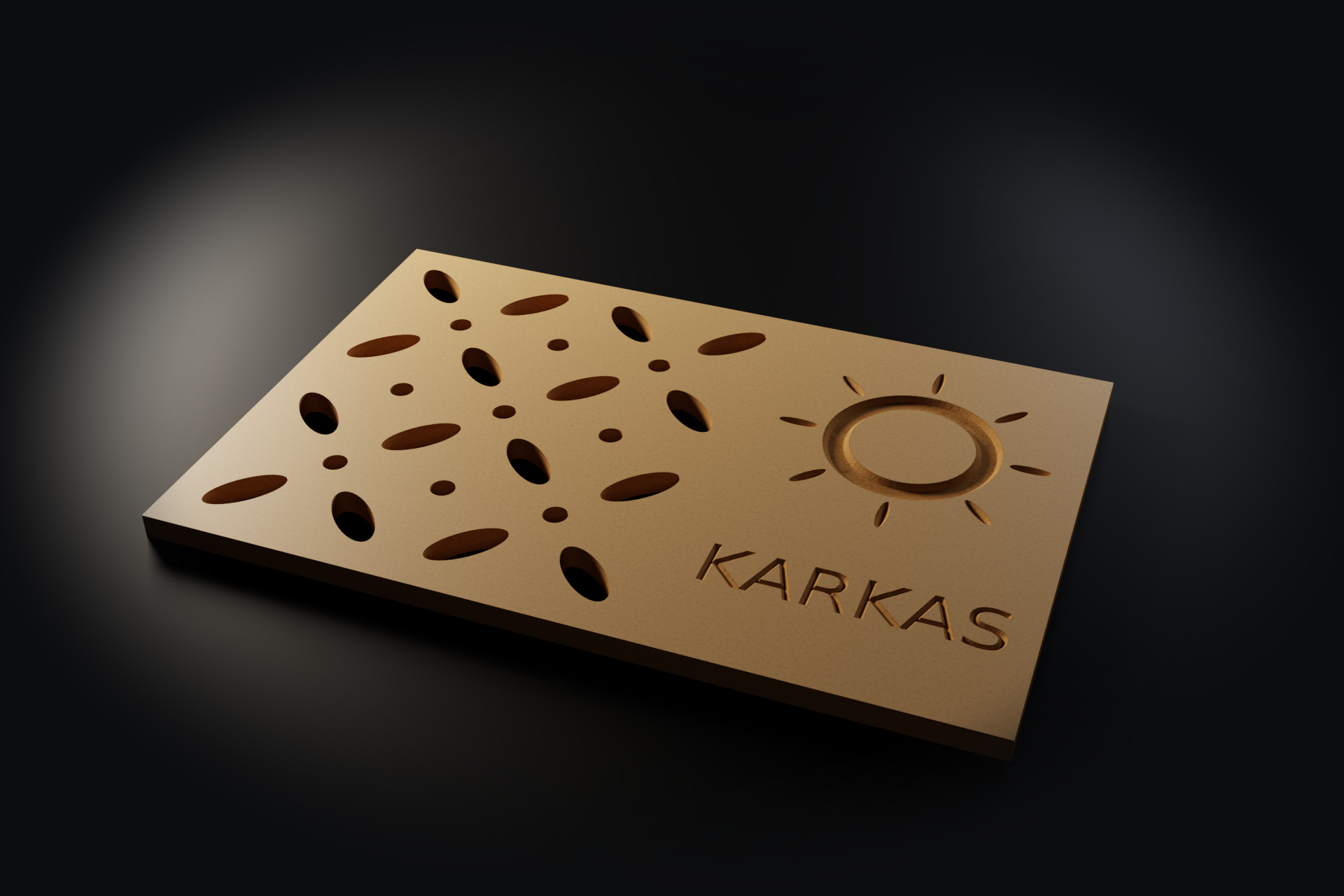
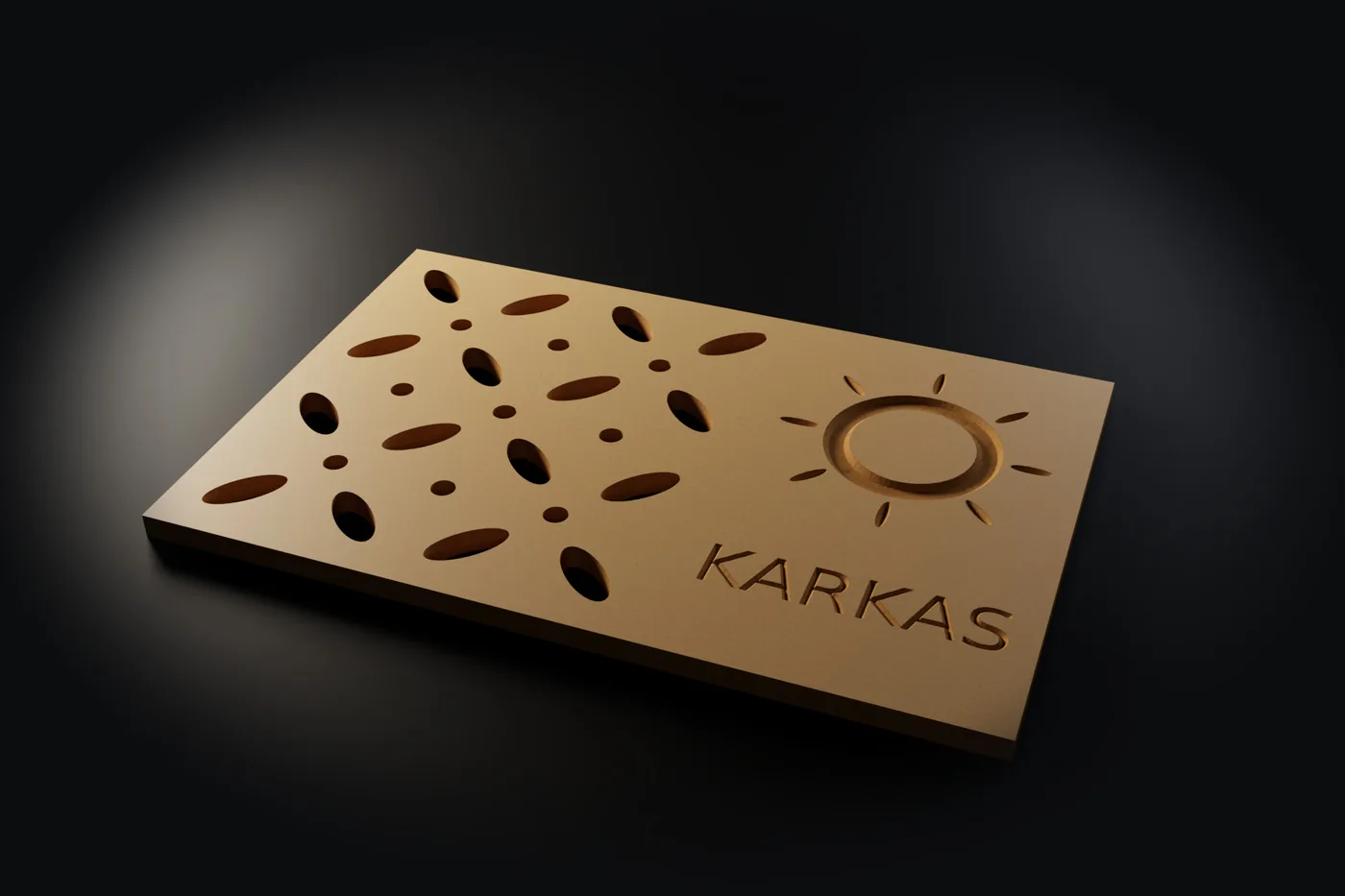
Sample panel · dekor-ornek.nc
A 600 × 400 MDF decorative panel machined by Karkas: the fretwork cut through, the ring and the word KARKAS V-carved
Rendered by Karkas itselfPanel 600 × 400 × 18 MDF
  1. 01The patternDXF, DWG, STL
  2. 02FretworkClosed shapes cut through
  3. 03V-carvingShallow where thin, deep where wide
  4. 043D reliefRoughing + finishing
  5. 05SimulationMinutes per tool
  6. 06G-code and priceFor your controller

Real files the program made (the G-code comments are in Turkish): dekor-ornek.nc dekor-panel-pro.jpg oyma-kapak-pro.jpg

Karkas Dekor · panels and carving

One panel, start to finish

Six steps from the pattern file to the carved panel. The sample is a 600 × 400 × 18 MDF panel, with the fretwork cut through and the ring and lettering V-carved. Its G-code can be downloaded below.

01

Three jobs, one door.

Pick the kind of job at the Dekor door; there is no cabinet to build and no project to open. Patterns and lettering come as DXF / DWG, reliefs as STL. Open lines and shapes inside shapes are written in the report; none is dropped without a word.

  • FretworkDXF / DWG: closed shapes
  • V-carvingDXF / DWG: lettering and patterns
  • 3D reliefSTL, OBJ, 3MF
New Dekor job · importmm

Loading the report…

02

Every closed shape inside is cut right through.

A drawing on one layer works too: the largest outline is the part and the shapes inside it are the pattern. Small holes are opened with a helix and long shapes with a ramp; the outside profile is cut last, so the part doesn't move.

  • Cutterflat bit, one pass or several
  • Orderinside out
  • Template“Dekor fretwork” comes ready
Fretwork · sample panel

Loading the pattern…

03

Shallow where it's thin, deep where it's wide; sharp corners.

The V-bit follows the centre line of each stroke, and the stroke's width sets the depth. Where a wide area reaches the depth limit, the floor stays flat and is cleared with a flat cutter; with no flat cutter, the V-bit clears it and you get a warning about the time.

  • Bit60°, 90°, 120°
  • Limitmaximum depth, mm
  • Floora flat cutter or the V-bit itself
V-carving · sample panel

Loading the carving…

04

A ready-made relief goes onto a panel or a door.

An STL you bought, or exported from other software, is used as it is. Choose carved in or raised; roughing runs with a flat bit and finishing with a ball-nose. Depth and the thickness left are checked.

  • Roughingflat bit, in steps
  • Finishingball-nose, set step-over
  • Recordsthe relief is saved in the job file
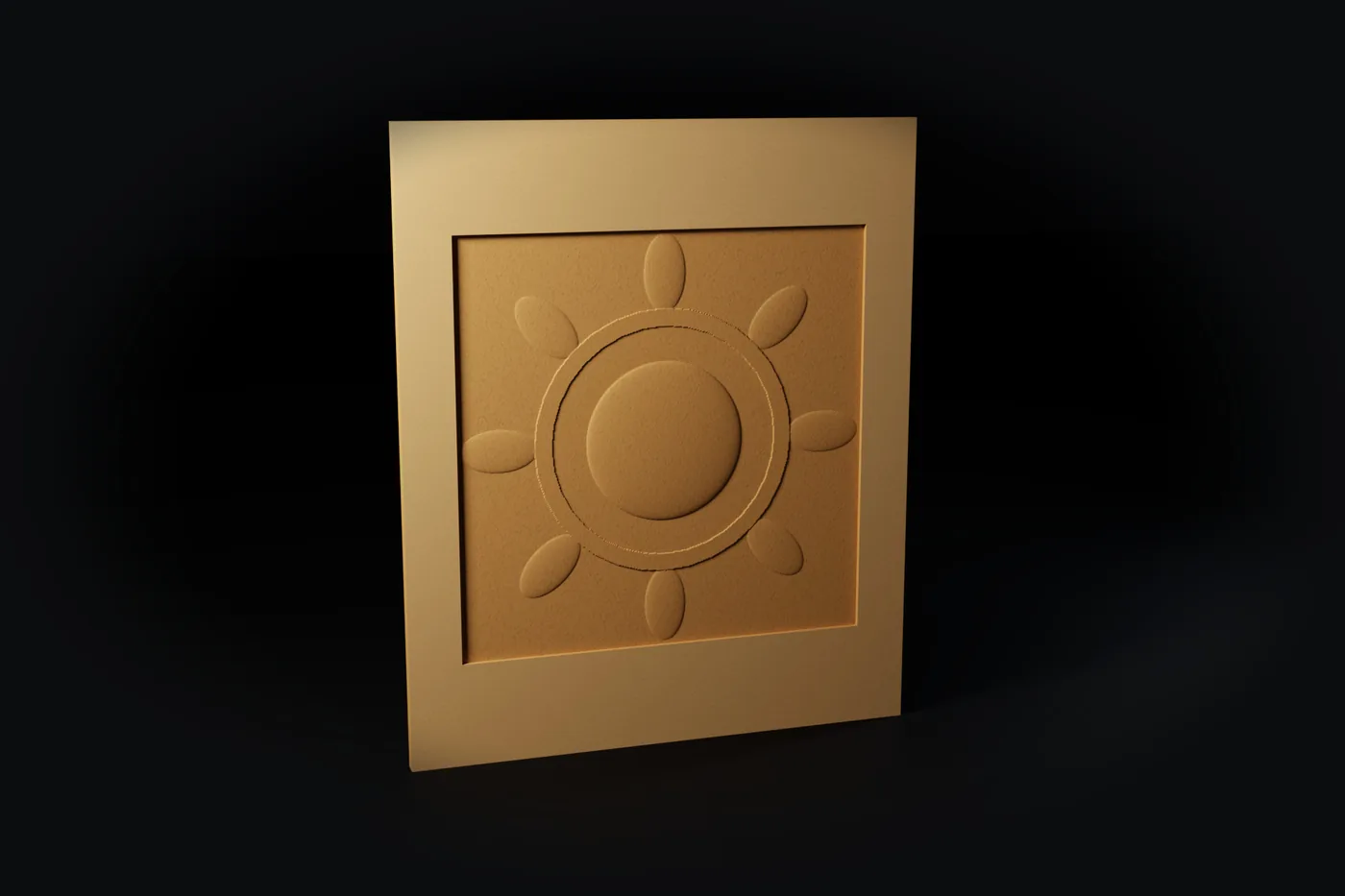
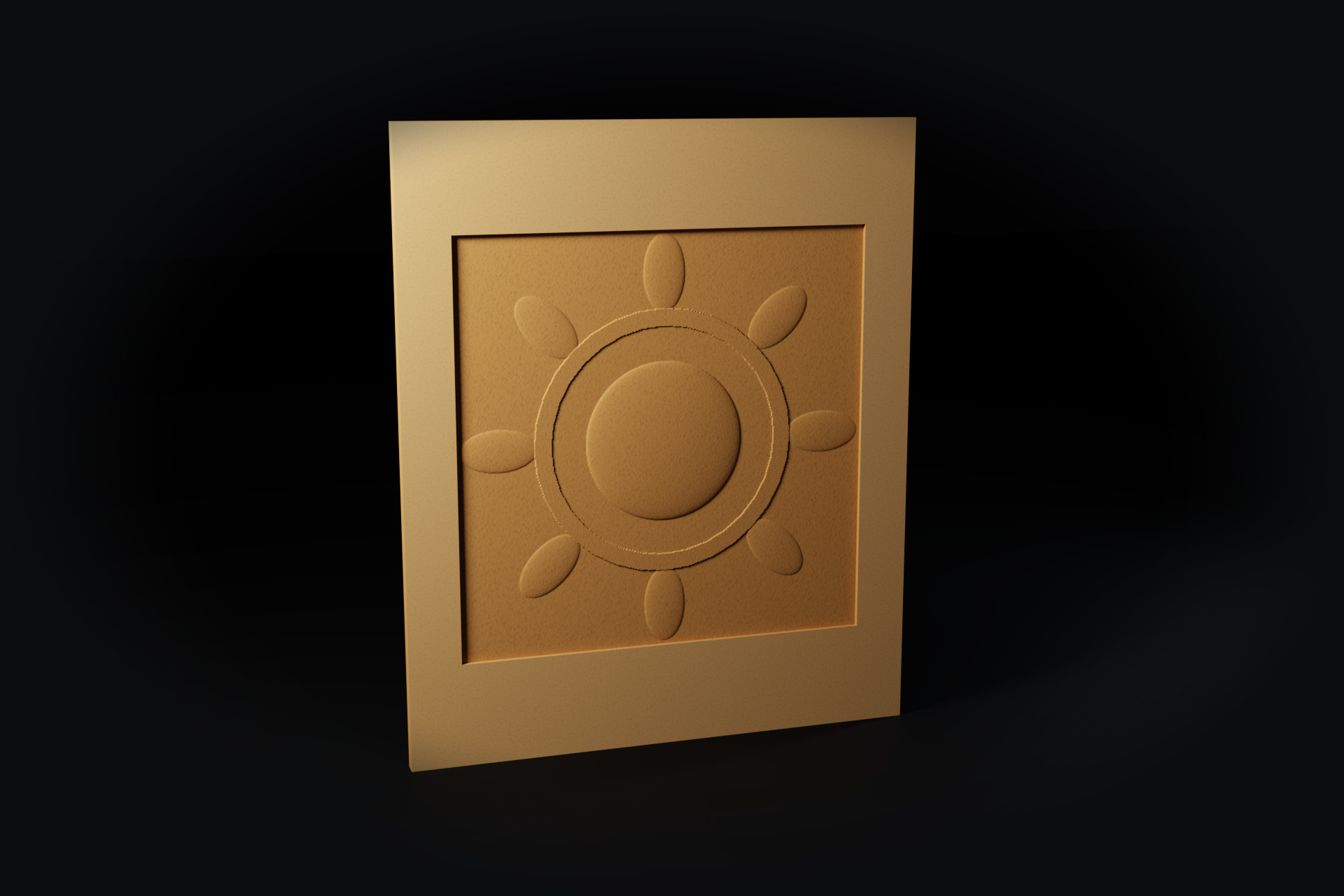
3D relief · door600 × 720 MDF
A rosette relief carved 6 mm deep into a 600 × 720 MDF door in Karkas
Rendered by Karkas itselfRelief 6 mm
05

The panel is machined on screen before it goes to the machine.

Depth, collisions and uncut areas are checked, and each tool's time is shown on its own. The panel at the top of this page is the part this program machined: the fretwork cut through, the ring and lettering V-carved.

  • Checksdepth, collisions, uncut areas
  • Timeper tool + total
  • Viewwith the real tool shapes
Tools and time · sample panel

Loading the tools…

06

Once the time is known, so is the price.

The job is saved to the list with its customer and file; Dekor and CNC jobs sit in the same list. The price comes from a template with a rate per minute and per m². G-code is written for your machine's controller; on a manual tool change, a line telling the operator to set Z zero again goes into the program.

  • ControllersISO, Weihong, Syntec, Mach3
  • Priceper minute + per m², minimum charge, VAT
  • Listin the same place as the CNC jobs
dekor-ornek.nc

Loading the program…

It speaks the trade's file formats.

DXF patterns, STL reliefs, G-code: a file from a relief seller and the customer's drawing open without fixing. Karkas Dekor is not a separate program but a separate door into Karkas; the same install cuts sheets and designs cabinets too.

Specifications

What the program does today.

Every line of this list works in the closed beta version.

Input formats
DXF, DWG, STL, OBJ, 3MF, .karkas
Jobs
Fretwork (cut through), V-carving, 3D relief
V-bits
60°, 90°, 120°Depth limit and flat floor clearing
Relief
Carved in or raised; roughing + finishingDepth and remaining thickness checked
Ready-made templates
Dekor fretwork, Dekor V-carve
Controllers
ISO / Fanuc-like, Weihong / NcStudio, Syntec, Mach3
Simulation
Real tool shapes, minutes per tool
Pricing
Per minute + per m², minimum charge, VAT, job summary PDF
Not opened
Closed project formats (.art, .crv)STL and DXF exported from them open
System
Windows 10 / 11, 64-bit, 8 GB memory

Real outputs

Open them, look, try them in your own software.

The program made these files itself; the G-code comments are in Turkish. Download them and open them in your simulator or your machine's software.

Questions

Frequently asked.

If your question isn't here, write to us; the answer comes straight from the developer.

Which files does it take?

DXF and DWG for patterns and lettering; STL, OBJ and 3MF for reliefs. A .karkas project from a cabinet maker who uses Karkas opens too. Closed project formats (.art, .crv) don't open; use STL and DXF exported from them.

My pattern is all on one layer. Is that all right?

Yes. In the “Dekor fretwork” template the largest closed outline is the part's outside profile, and every closed shape inside it is a hole cut right through. Put the lettering on a layer of its own and it is V-carved; if the program doesn't know the layer name, it asks, and remembers it for the next file.

What do I need to carve lettering?

The lettering must be exploded into closed outlines in the DXF; TEXT entities are not read, they are counted in the report. Set up a V-bit (90° is common); for a flat floor in wide letters you can pick a flat cutter, otherwise the V-bit clears it and you get a warning about the time.

Which machines does it work with?

G-code is written today for ISO / Fanuc-like, Weihong / NcStudio, Syntec and Mach3 controllers. Enter your bed size; a program that does not fit is never written. If you have another controller, write and tell us which one.

How is it different from Karkas CNC?

It is the same job mode of the same program. Karkas CNC is for shops that cut sheets, with profiles, grooves, holes and nesting to the fore; the Dekor door opens with presets for fretwork, V-carving and reliefs. The jobs sit in one list and can be shown together, and one licence covers both.

Can I use it for cabinet design too?

Yes. Karkas Dekor is a separate door into Karkas; with the same install you build cabinets and get cut lists and renders. Details on the cabinets page.

Early access

Hear first when Karkas Dekor is in English.

Karkas is in closed beta with shops in Turkey, and its interface, documents and G-code comments are in Turkish today. An English version is being built. Leave your email and we will write to you when it is ready to try; your own patterns will help shape it.

System
Windows 10 / 11, 64-bit
Memory
8 GB

Closed beta
Windows 10 / 11

Early access